
Pocket Option Promo Code: How the Deposit Bonus and Its Conditions Work
Pocket Option promo code explained: where to enter the code, how the turnover condition can lock withdrawals, and when declining the bonus is smarter.

A Pocket Option promo code adds a percentage bonus to a real-money deposit. You can type it into the promo code field when you register, or in the cashier when you make a deposit, and the bonus is credited together with your funds. The catch is the turnover condition: until you have traded a set multiple of the bonus, the bonus and the profits made with it may not be withdrawable, so read the rules before you accept one.
Note: Our code is QMC991. It gives a 60% bonus on a first deposit of $50 or more. Enter it in the promo code field of the registration form, or on the deposit page before you confirm the payment. You can also skip it, and further down we explain why some traders should.
What a Pocket Option promo code actually does
Pocket Option runs several kinds of promotions: deposit bonuses activated by promo codes, tournaments, and items bought in the in-platform market (the homepage advertises "promo codes", "cashback" and a "Promo & Bonuses" section). A promo code is the most common one. It is a short string of letters and numbers that tells the cashier to add a bonus on top of a deposit.
A typical example: you deposit $100 with our 60% code and your balance shows $160. The extra $60 is bonus money. It trades exactly like your own money, but it is tied to conditions your own deposit is not.
Codes come from different places:
- Published codes like QMC991, shared on websites and channels about Pocket Option. Using one costs you nothing extra.
- Platform promotions shown inside your account or sent by email, sometimes time-limited.
- Market purchases, where bonuses or perks are bought with points earned through the achievements system.
How to enter the promo code (step by step)
Option 1: when you register
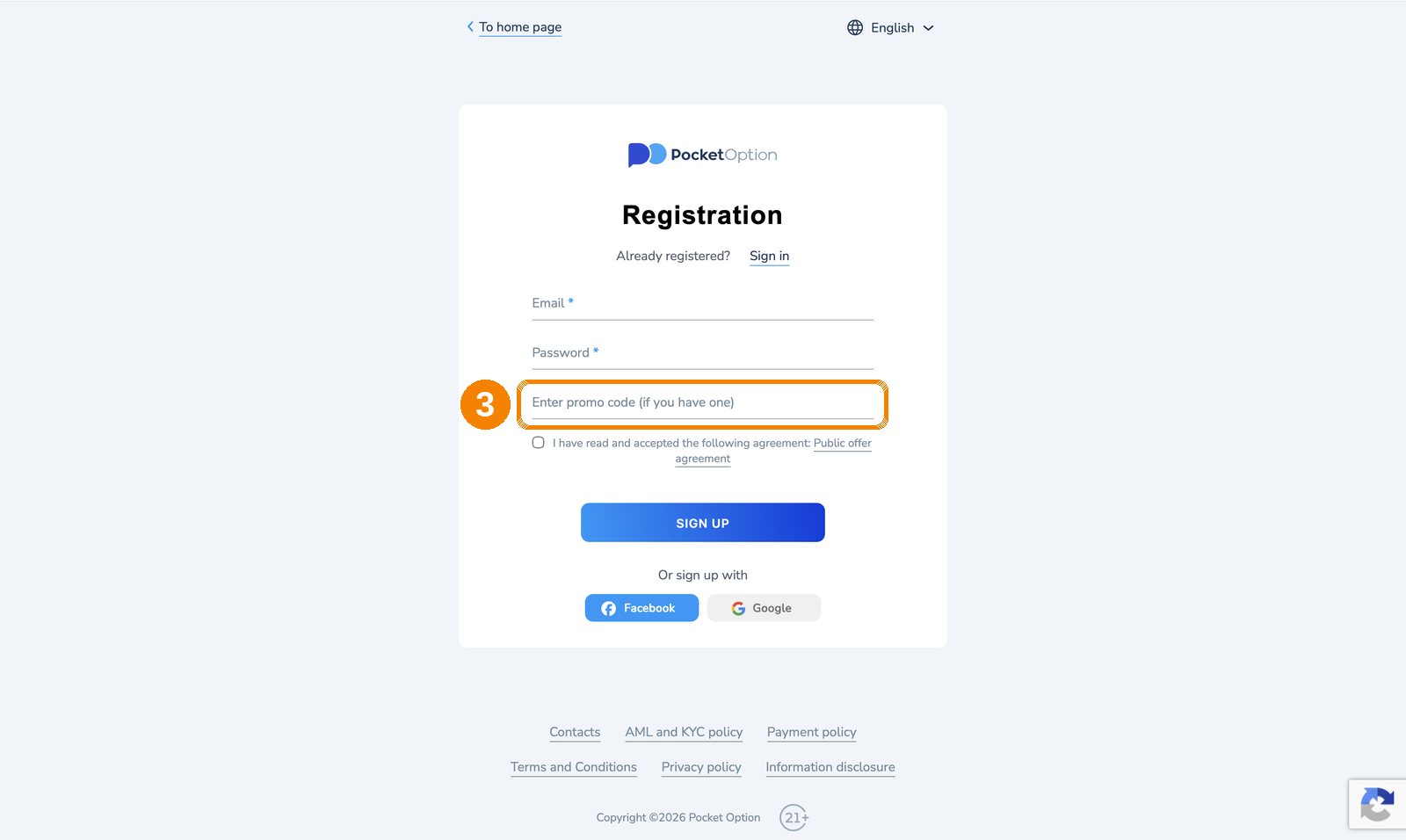
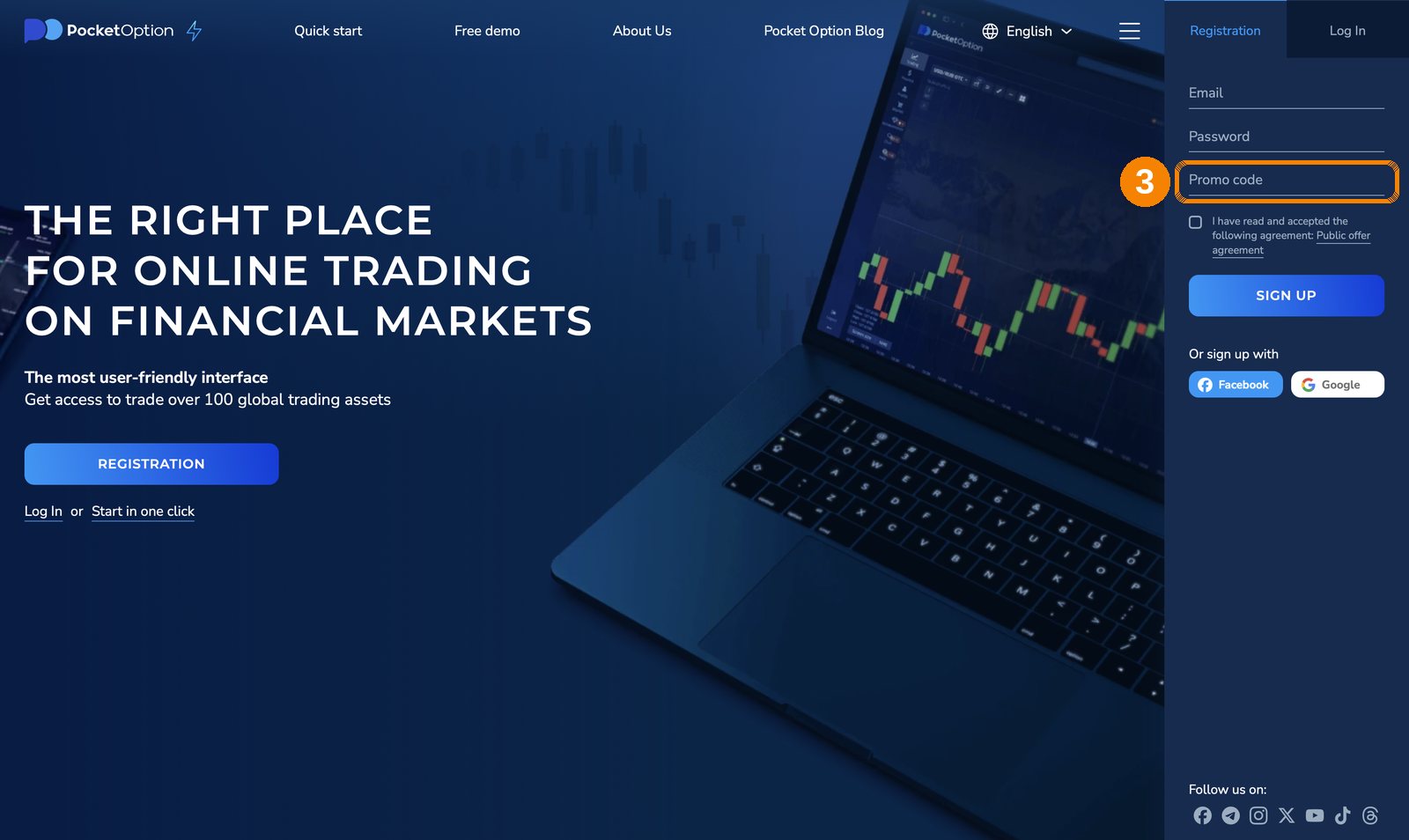
The registration form has its own promo code field, both on the Pocket Option homepage and on the separate registration page.
- Open the Pocket Option registration page.
- Enter your email and a password.
- Type QMC991 in the Promo code field, exactly, with no spaces.
- Accept the agreement and click Sign up. The bonus is applied when you make your first real deposit.
Option 2: when you deposit
- Log in to the real account (the code does nothing on the demo).
- Open the cashier and choose Deposit.
- Pick your payment method and enter the amount. Check the minimum for that method, as some codes also require a minimum deposit to activate.
- Find the promo code field (it may appear as "I have a promo code" or a bonus selector) and type QMC991.
- Confirm the code is accepted (the bonus amount should appear in the summary) before you pay.
- After the deposit, check the bonus and its turnover requirement in your account's bonus details.
Tip: If the field rejects the code, the most common causes are a typo, a deposit below the code's minimum, or a code that only works on a first deposit. Do not complete the payment hoping the bonus will be added later; contact support first.
If you have not traded on Pocket Option yet, practise on the demo before depositing. You can open a free Pocket Option demo without making a payment. Our Pocket Option demo account guide and minimum deposit guide cover the first steps.
Bonus terms and conditions: the turnover requirement
This is the part most "promo code today" pages skip. Pocket Option's own knowledge-base article on trading turnover explains it like this:
- When you accept a deposit bonus, you "usually agree to a turnover requirement."
- Turnover = the sum of all your trade amounts. Winning and losing trades both count. Demo trades and cancelled trades do not.
- Its worked example uses an x50 requirement: a $50 bonus means $2,500 of trading volume.
- Until the requirement is met, you "might not be able to withdraw your bonus or profits from it."
- If no bonus was activated, there are "typically no turnover conditions" on withdrawals.
- The multiplier "may now depend on account type or promotion period", so always check the figure shown for your specific bonus.
What the turnover means for QMC991
For QMC991 the minimum deposit is $50 and the minimum turnover is $1,500 in total trade amounts. Here is what that looks like in practice:
| Deposit | Bonus at 60% | Balance after deposit | Turnover needed | Number of $5 trades | Number of $10 trades |
|---|---|---|---|---|---|
| $50 | $30 | $80 | $1,500 | 300 | 150 |
| $100 | $60 | $160 | $1,500 | 300 | 150 |
| $200 | $120 | $320 | $1,500 | 300 | 150 |
Larger codes with an x50 rule grow much faster: a $50 bonus at x50 already means $2,500 of trading volume.
Now combine that with the payout. If wins pay 85% and you win 55% of trades, each $10 trade has an expected value of 0.55 × $8.50 − 0.45 × $10 = +$0.175. That is a small edge that most traders do not actually have. At a 50% win rate the expected value is 0.5 × $8.50 − 0.5 × $10 = −$0.75 per trade, so the 150 trades of $10 needed to reach $1,500 of turnover would cost about $112 on average. The bonus does not offset that.
You can check these numbers yourself with our break-even calculator and expected value calculator. At 85% payout the break-even win rate is about 54%; see break-even win rate for the derivation.
Risk warning: A turnover requirement pushes you to trade more often and with bigger stakes than you would otherwise. That is the opposite of good money management, and it is how many small accounts get emptied while "working off" a bonus.
Bonus conditions and withdrawal: what can happen
Pocket Option's terms are the binding source, and they can change, so read the bonus rules shown in your cashier before you accept. Based on the platform's turnover article and how deposit bonuses generally work at offshore brokers, expect the following:
- Withdrawing before turnover is met may be blocked, or the bonus and profits linked to it may be removed from your balance.
- Your own deposit is normally still yours, but check whether the rules treat the balance as one pool while a bonus is active.
- Losses come out of the combined balance. If you lose most of a $150 balance, you have lost your $100 deposit as well.
- Some bonuses can be cancelled from your profile or by asking support. Third-party reviews describe a cancel option in the finance/promo code area, but we could not confirm the exact menu from an official page. Cancelling usually removes the bonus and any profit attributed to it.
You can say no
You do not have to use any promo code. If you are not going to trade the full turnover, or you want to be able to withdraw at any time, deposit without a code. You give up the extra balance and keep full control of your money. For a first deposit made mainly to test the platform's withdrawal process, we think declining is often the better choice. Our Pocket Option withdrawal guide explains that process.
Promo code for existing users
Most first-deposit codes, ours included, work only once per account. Existing users usually get bonuses through:
- Codes and offers shown inside the account or sent by email.
- Seasonal promotions with a short validity window.
- The in-platform market, where achievement points can be exchanged for perks.
Opening a second account to reuse a welcome code is not a workaround. Brokers generally prohibit multiple accounts and can close them, which can also delay withdrawals.
"Pocket option promo code free", "$10", "$20" and no-deposit bonus claims
Searches like "pocket option promo code free", "promo code for 20 dollars" or "promo code $10" usually mean one of two things:
- A deposit code that works with a small deposit. A 60% code on a $50 deposit gives $30 of bonus. You still pay the $50.
- A no-deposit bonus, meaning free money without a deposit.
We could not find any current no-deposit bonus on Pocket Option's official pages, and independent reviews list a no-deposit bonus as "not available." Pages that promise a "Pocket Option no deposit bonus code" are usually affiliate spam, and some are phishing. Treat them as you would any other offer of free money from a stranger.
Note: The closest thing to free trading is the demo account. It costs nothing, but demo profits are virtual and cannot be withdrawn.
50START, "100 bonus code" and other codes you see online
Codes such as 50START (also written START50), "100% bonus codes" and dated "2026" codes are published by Pocket Option and by many affiliates. Some work, some have expired and some never existed. What we can say:
- Bonus size varies. We have seen 50%, 60% and 100% codes advertised; QMC991 gives 60%. A larger bonus normally means a larger turnover requirement in absolute dollars, because turnover is calculated on the bonus amount.
- The rules matter more than the percentage. Compare the multiplier, the minimum deposit, the expiry date and whether profits are locked.
- Only one bonus at a time is the norm, so stacking codes generally does not work.
A 100% bonus on a $100 deposit at x50 means $5,000 of turnover. For most beginners that is 500 trades at $10. If that sounds like more trading than you planned, the bonus is not for you.
Should you use a promo code?
| Situation | Our view |
|---|---|
| You plan to trade small and may want to withdraw soon | Skip the bonus |
| First deposit to test deposits and withdrawals | Skip the bonus |
| Experienced, with a journal showing a win rate clearly above break-even, and you trade often anyway | A bonus can add margin, if you accept the lock-in |
| You feel you must trade more to "free up" the money | Skip it. That pressure is the problem |
Before any real deposit, check that binary options are legal where you live (country legal status). Pocket Option is an offshore broker without a top-tier licence and says it does not serve residents of the EEA, USA, UK, Israel, Japan, the Philippines and Brazil, among others. Read our Pocket Option review for the broader picture.
If you have read the conditions and still want the bonus, use QMC991 at your first deposit after you open your Pocket Option account.
FAQ
Where do I enter the Pocket Option promo code?
Either in the promo code field of the registration form, or in the cashier during the deposit: choose your method and amount, type the code, check that the bonus appears in the summary, and then confirm the payment. Codes cannot be applied on the demo account.
Is there a Pocket Option no deposit bonus?
We could not verify any current no-deposit bonus on Pocket Option's official pages. Deposit bonuses require a real deposit. Be careful with sites promising free balance codes.
Can I withdraw money after using a Pocket Option bonus?
The bonus, and the profits linked to it, may not be withdrawable until you meet the turnover requirement (Pocket Option's own example uses x50 the bonus amount). Withdrawing early can remove the bonus. Check the conditions shown for your bonus before accepting it.
Does Pocket Option have a promo code for existing users?
Welcome codes usually work once per account. Existing users get occasional offers in their account, by email or through the in-platform market.
Can I refuse or cancel a bonus?
Yes. Simply deposit without entering a code. If a bonus is already active, check your account's bonus/finance section or ask support. Cancelling usually removes the bonus and the profit made with it.
Key takeaways
- Our code QMC991 adds a 60% bonus to a first real deposit of $50 or more, with a $1,500 turnover requirement. Enter it when you register or in the cashier before paying.
- Bonuses come with a turnover requirement; Pocket Option's own example is x50 the bonus, counting winning and losing trades.
- Until turnover is met, the bonus and its profits may be locked, and early withdrawal can cancel them.
- We found no verified no-deposit bonus; treat "free code" pages with suspicion.
- Declining the bonus is a legitimate choice, and often the better one for small or first deposits.
- Run the numbers with the expected value calculator before you commit to hundreds of trades.

Recommended broker
Practise this on a free Pocket Option demo
Free demo account, $1 minimum trade and payouts up to 92%. Test everything with virtual money first.
Binary options are high risk and not available in every country. Check the legal status where you live.
Next in Pocket Option Guides
Pocket Option Signals and Telegram Bots: What They Really Sell
This guide is for educational purposes only and is not financial advice. Binary options are high risk and banned for retail clients in many countries. See our risk disclaimer.
Keep learning
Pocket Option Tutorial: A Step-by-Step Walkthrough for Beginners
Pocket Option tutorial for beginners: sign up, practise on the demo, read the interface, place a trade, set expiry, check history, deposit and withdraw safely.
9 min read · 17 Aug 2026Pocket Option GuidesPocket Option Demo Account: Free Practice, Login and Switching to Real
Pocket Option demo account explained: how the free demo works, demo login and sign up, QT Demo vs QT Real, refilling virtual funds and when to switch to real.
7 min read · 21 Aug 2026Pocket Option GuidesPocket Option Minimum Deposit, Minimum Trade and Deposit Methods
Pocket Option minimum deposit is from $5 and trades start at $1, per the broker. Deposit methods, INR amounts, account levels and bonus terms to check.
7 min read · 25 Aug 2026